How to Use
Complete guide to mastering the Meeting Assistant Tool. Follow our step-by-step instructions to make the most of every feature.
Available on Android, iOS, Huawei, and as the Web App in your browser
Step 8 of 10
Profile and Account Management
Manage your profile, settings, and account preferences.
Accessing Your Profile
- From the main screen, tap your profile icon (usually in the top right)
- You'll see the "Profile" screen with your information
Viewing Profile Information
Your profile displays:
- Avatar: Your profile picture (or default icon)
- Name: Your full name as registered
- Email: Your account email address (tap to copy or edit)
Updating Personal Details
- Tap "Profile details"
- Update any of the following:
- First name
- Last name
- Email address
- Save your changes
To change your profile picture, tap your avatar on the Profile screen, then choose a photo from your gallery or take one.
Changing Your Password
For accounts that sign in with email and password:
- From Profile, tap "Change password"
- Enter your current password
- Enter your new password (at least 6 characters)
- Save it
Forgot your password? Use "Forgot my Password" on the Sign In screen.
Privacy and Terms
- From Profile, tap "Privacy Policy" to read MAT's privacy policy
- It explains how your data is collected and used
Deleting Your Account
- From Profile, tap "Delete account"
- Read what is deleted and what stays
- Tap "Delete my account", then confirm it's you (your password, or Google or Apple)
- Tap "Delete permanently"
What happens:
- Your profile, sign-in, notifications, contacts, AI assistant chats and support chat are deleted straight away
- Meetings you organised stay for their attendees, with the organiser shown as "Deleted user"
- You are removed from other people's meetings; meeting records you appear in stay with the meeting
- A record that the deletion happened, including your email address, is kept
- Deletion is permanent and can't be undone
You can also start at https://app.meetingtool.online/delete-account. If you can't sign in, email support@meetingtool.online from the address on your account.
App Information
At the bottom of your profile, you'll see:
- App Version: The version number of the app you're using
- This helps when reporting issues or requesting support
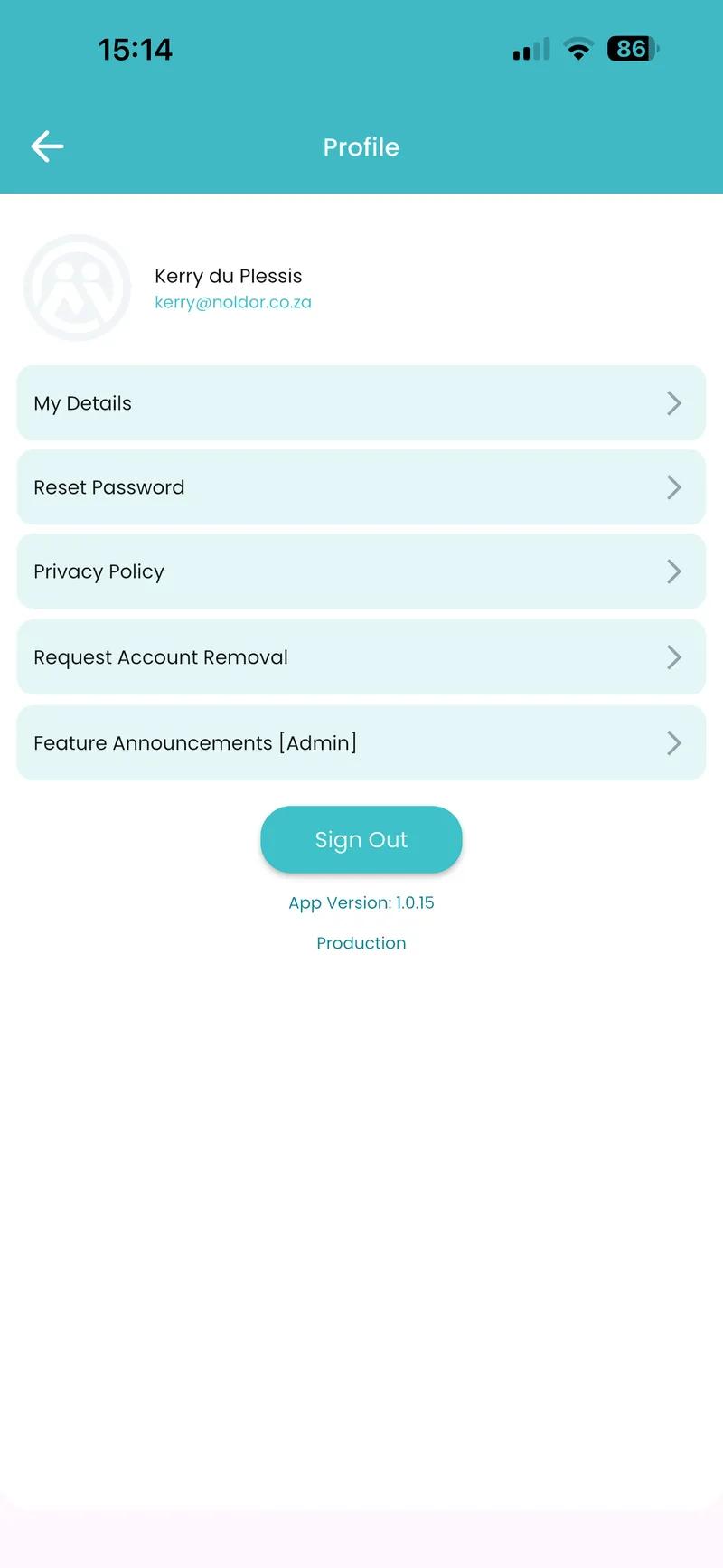
Profile Screen